Release 1.0.1
v1.0.1Improved results page
Webapp
Improved results page with action plan and clearer financial overview
The results now show what moved your fortune from one year to the next. Income, spending, and the growth of what you own add up to that change. Money you move between your own accounts is listed on its own, sorted by the two sides of the move.
Improved Summary table
The summary table is now organized as a timeline with clear and actionable yearly steps.
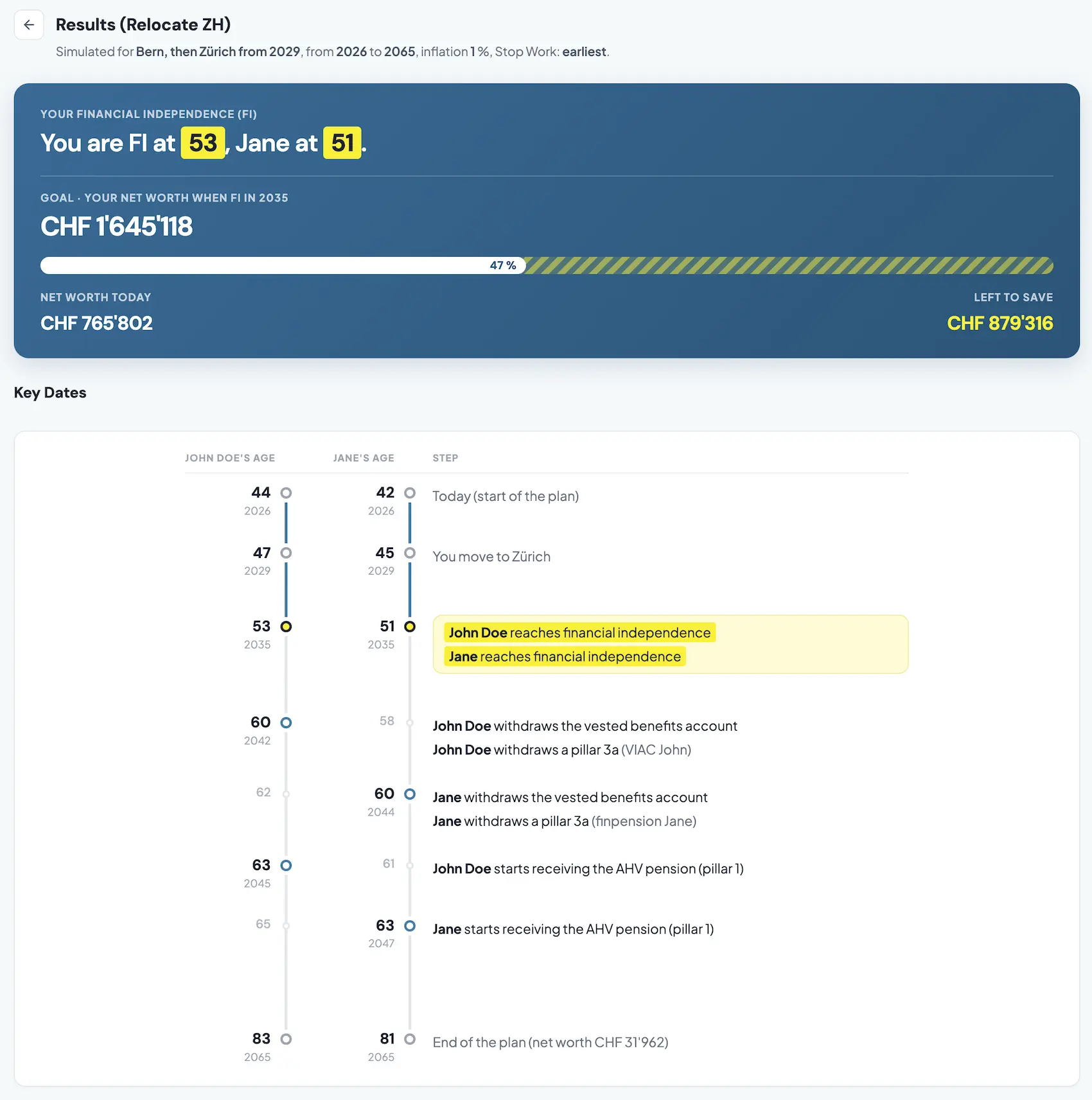
Net worth
The net worth chart is a stack. Liquidity is at the bottom, real estate net of the mortgage is in the middle, and retirement is on top. The top of the stack is the fortune. Anna’s fortune climbs while she is working, then the liquidity band thins after 2031 as she spends from the ETF, while the house and the pension keep growing. The unit is written once under the title. Years are labeled every five years, and the plan events are marked on the chart.
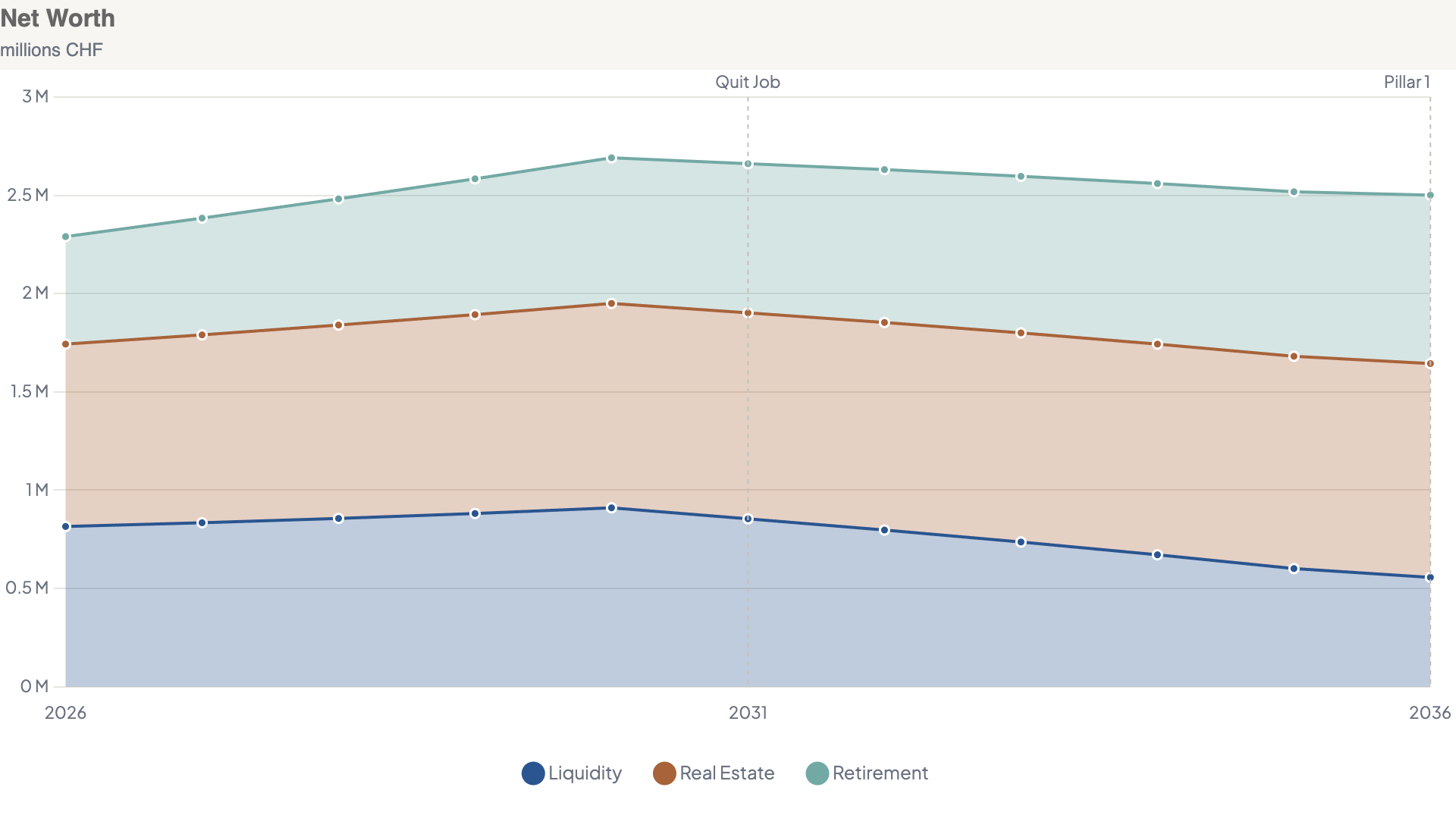
Income
The income chart uses the same year labels and the same event marks. While Anna is working, the bar is her salary, her employer’s pension contribution, and the dividends on the ETF. After she quits, the dividends are what remain, until the OASI pension starts in 2036.
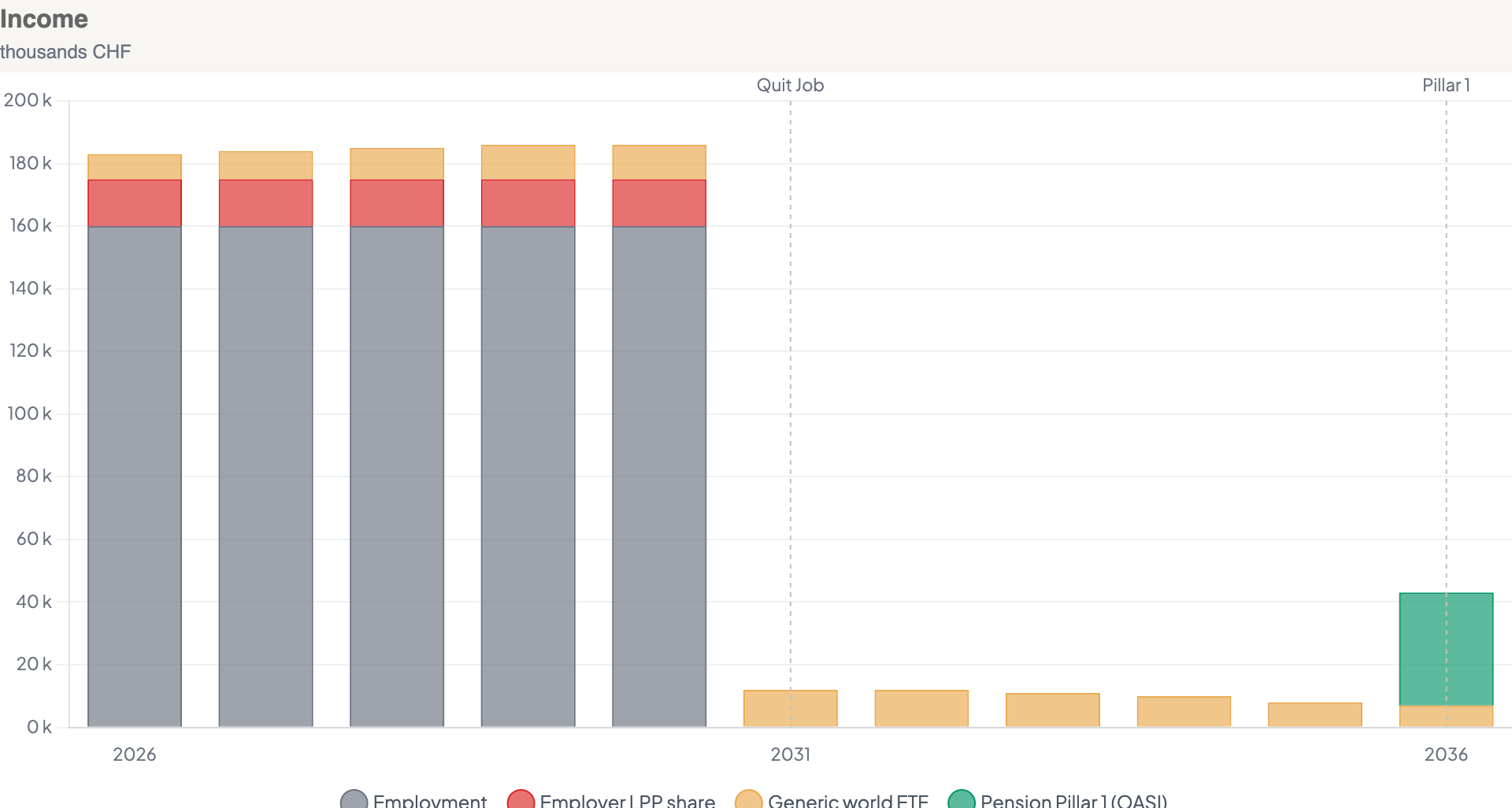
Expenses
The expenses chart follows the same scale. The event labels sit under the plot, because the bars hang down from zero. Her spending is living costs, her own OASI contribution while she works, tax, and the mortgage interest. The OASI contribution stops when the job does, and the tax falls with it.
Key indicators
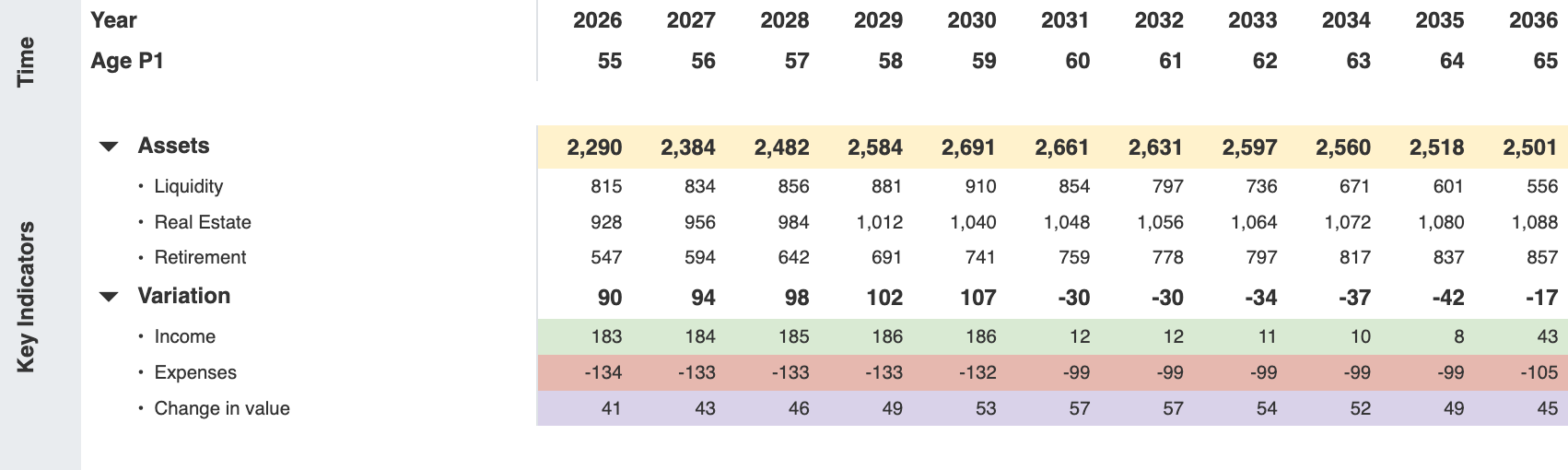
Fortune stays on its own row, under the name Assets. Liquidity, real estate, and retirement are open underneath it, and the three add up to the fortune. Variation is closed until you open it. Open, it shows that year’s income, expenses, and change in value, in the colours of those tables. In 2030 Anna’s fortune rises by 107: income 186, expenses −132, and a change in value of 53.
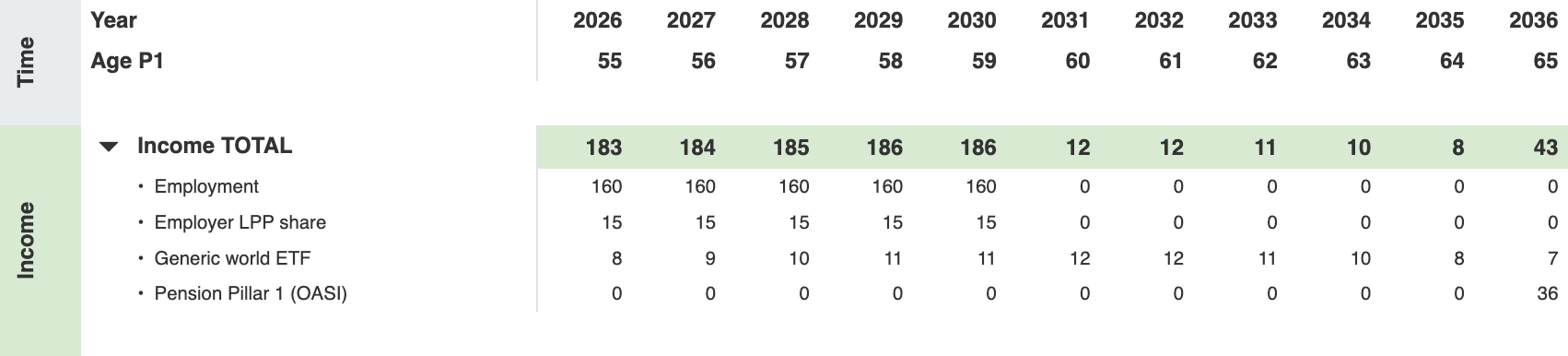
The income lines
The income total is the first row, and the lines under it are what it is made of. Gross salary is income. The employer’s share of the pension fund is income too. So are the ETF dividends, and later the OASI pension. What Anna pays into the pension herself is further down, under Transfers.
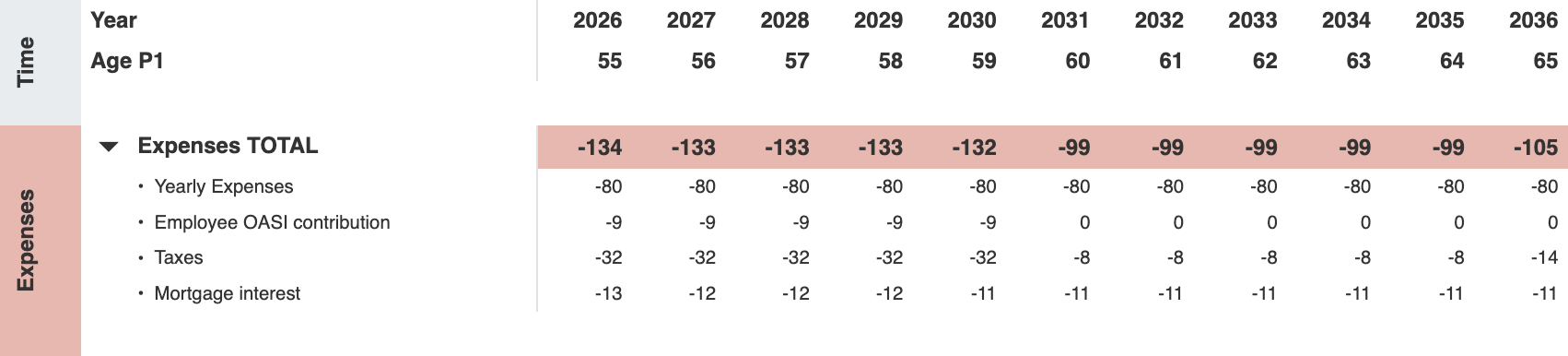
The expense lines
The expense total is what leaves the fortune: yearly expenses, the employee OASI contribution, tax, and mortgage interest. Paying down the mortgage sits under Transfers, as a move into the house.
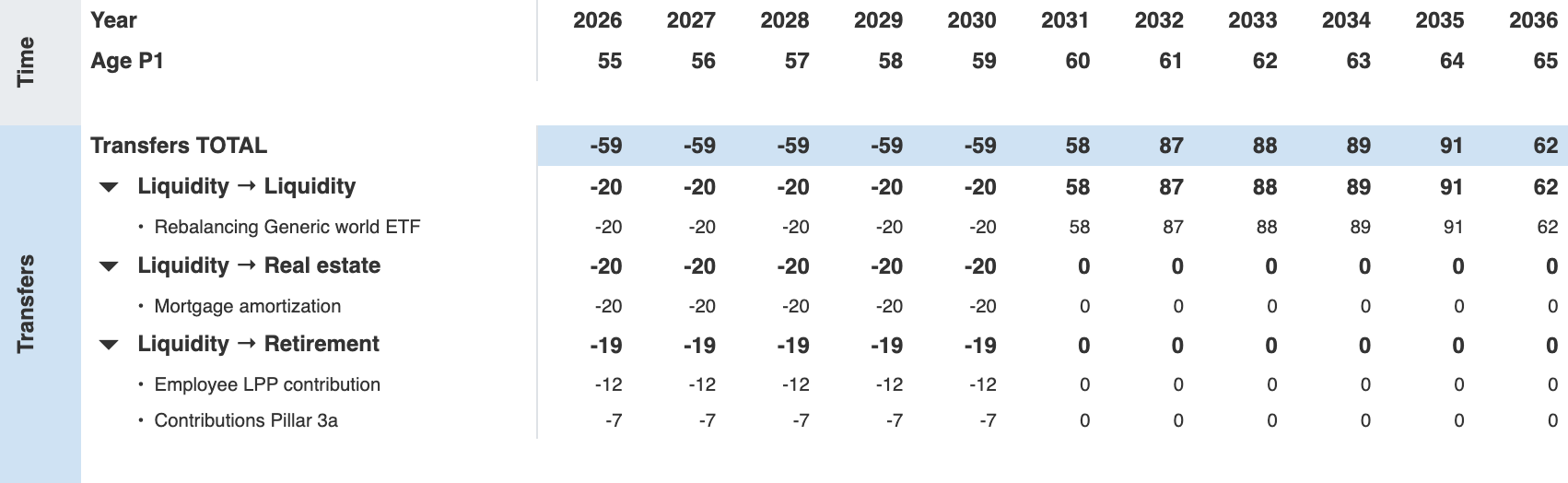
Transfers
Every transfer is between two of the three groups, and the row says which way the money went. A minus leaves liquidity. A plus arrives in liquidity. Liquidity → Retirement is the employee pillar 2 contribution and the pillar 3a payment. Liquidity → Real estate is the mortgage amortization. Liquidity → Liquidity is the rebalancing between cash and the world ETF: a purchase while she is working, a sale after 2031, when she funds her spending from the ETF. The total stays at the top.
Change in value
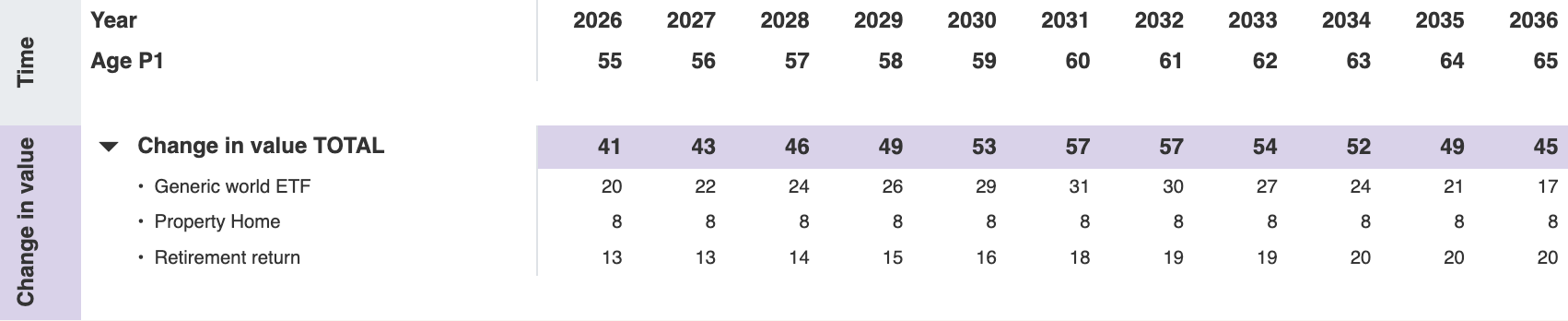
The growth of the assets has its own table. For Anna that is the rise in the ETF, the rise in the home, and the return credited inside the pension accounts. In 2030 those three are 29, 8, and 16, and they are the 53 in the variation above.
Assets
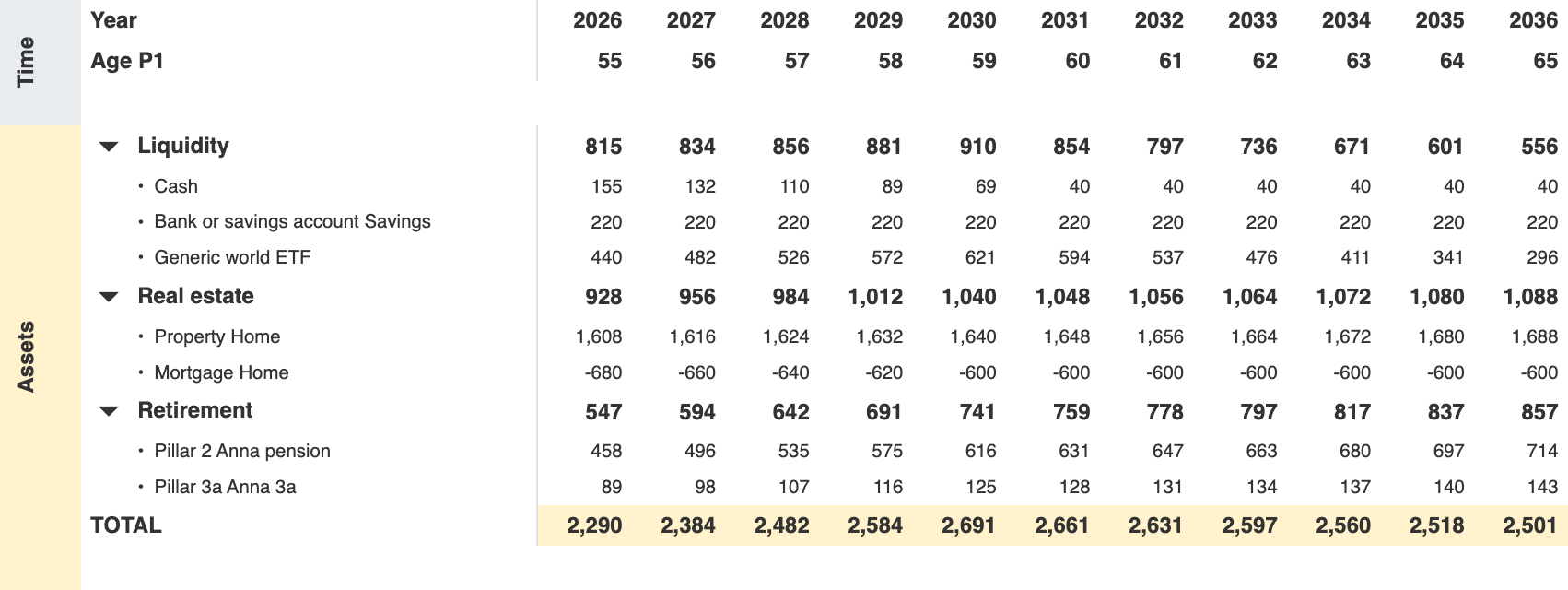
The asset list is grouped the same way. Liquidity, real estate, and retirement each have a total, open on arrival, and the fortune total closes the table. The home is shown next to its mortgage, so the real estate line is the equity. In 2030 that equity is 1,040, and the three groups add up to the fortune of 2,691.
Evolution
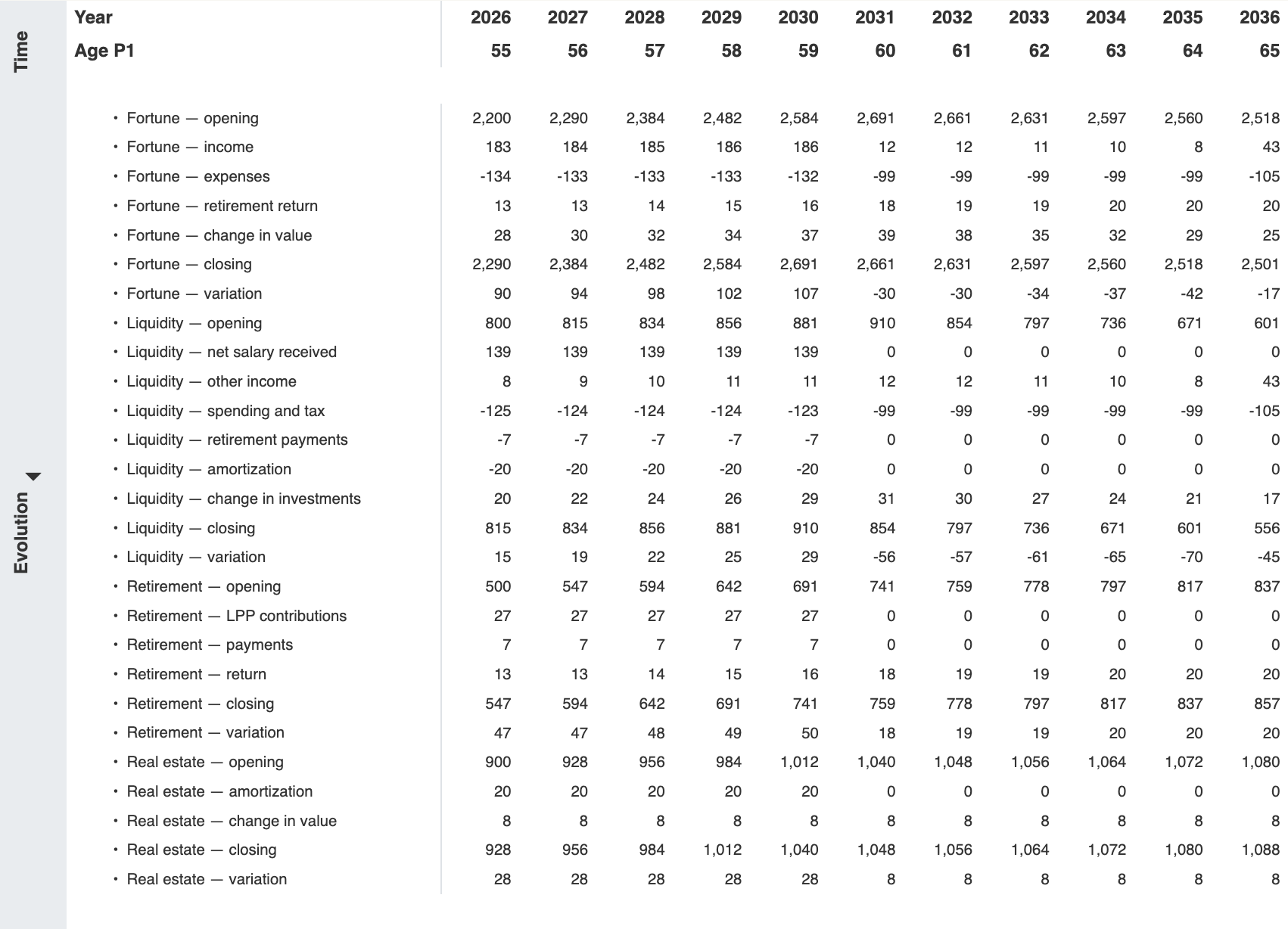
Evolution is the last block in the details, and it is closed until you open it. It repeats the bridge for the fortune and for each of the three groups: the opening balance, each movement, and the closing balance. For the fortune, the movements are income, expenses, the retirement return, and the change in value. Anna’s 2030 fortune of 2,691 is the opening 2,584 plus those four lines.
Tax deductions
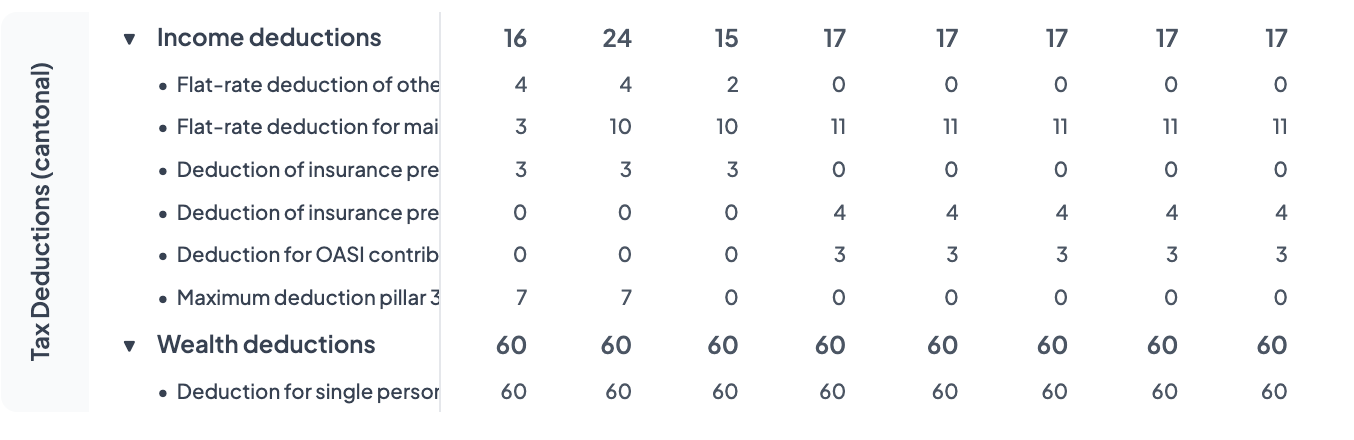
Federal and cantonal tax deductions each split into two groups: income and wealth. Each group has a total, open on arrival, and the lines under it are the individual deductions.
FI Planner parla italiano
You can now run the app in Italian. Pick it in your preferences. Contextual help is translated as well — buona pianificazione.